Download and Use the Planbet Android App
The Planbet Android app gives users mobile access to the full Planbet experience. From one app, you can create an account, log in, claim bonuses, place sports bets, play casino games, make deposits, request withdrawals and contact customer support.
The Android app is designed for users who want faster access from their phone without opening the desktop site every time.
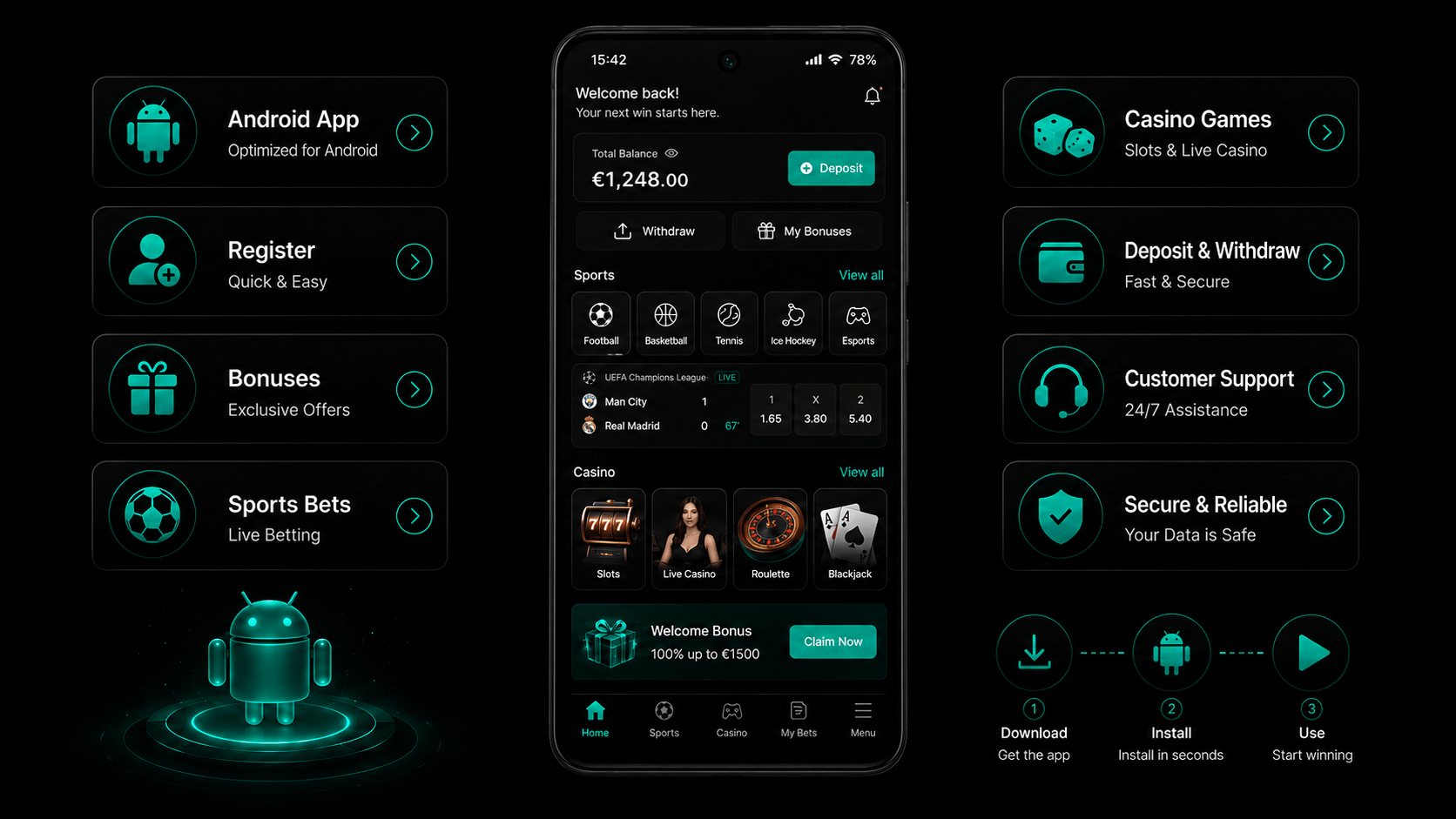
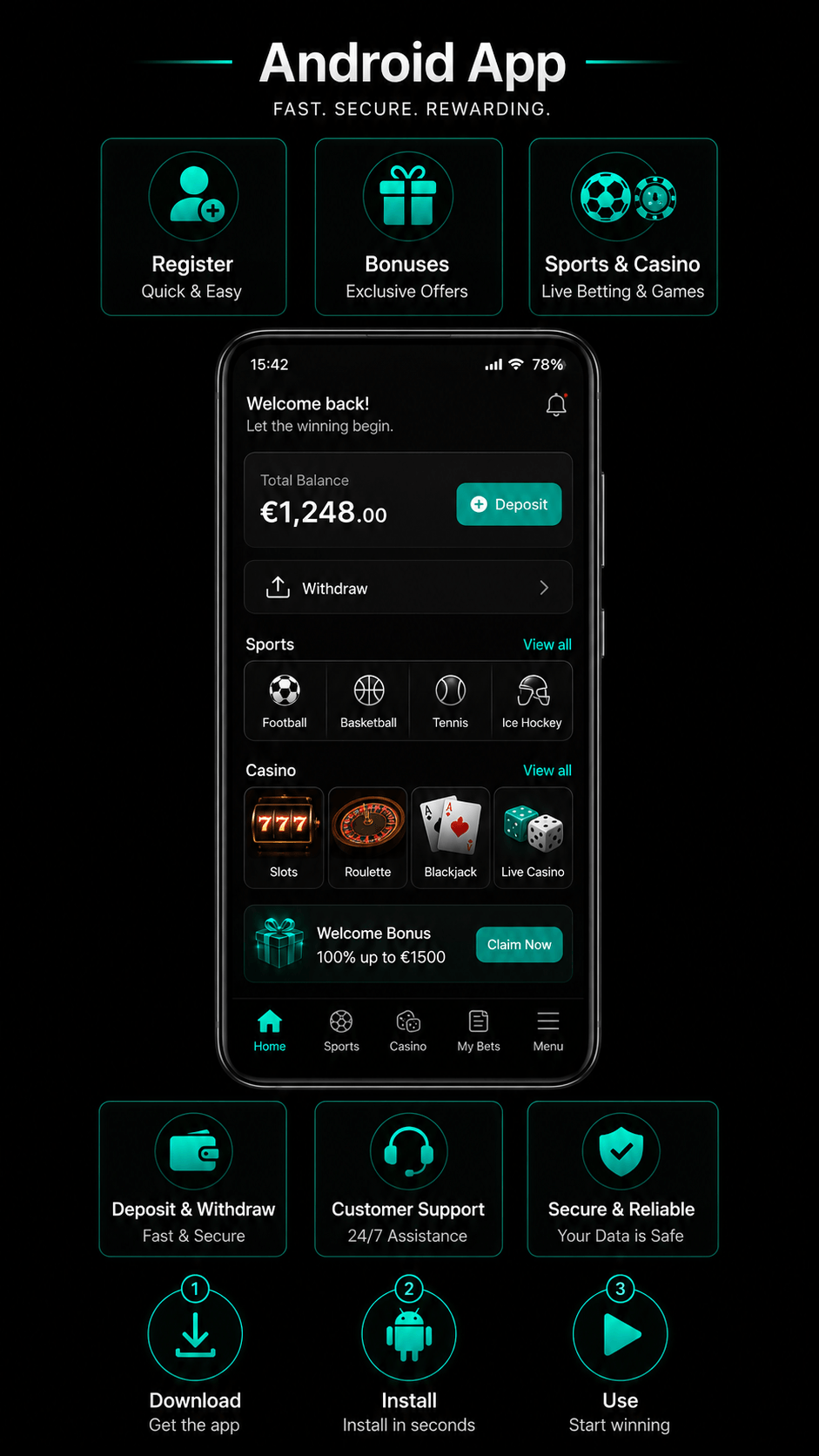
Planbet Android App: Quick Overview
| Feature | Available in the Android app |
|---|---|
| Account registration | Yes |
| Login | Yes |
| Sports betting | Yes |
| Live betting | Yes |
| Casino games | Yes |
| Live casino | Yes |
| Bonuses and promotions | Yes |
| Deposits | Yes |
| Withdrawals | Yes |
| Crypto payments | Yes |
| Card payments | Yes |
| Customer support | Yes |
Content
Why Use the Planbet App on Android?
The Planbet app is useful if you prefer betting, gaming and managing your account directly from your smartphone.
With the Android app, you can:
- access your Planbet account quickly;
- register without using a desktop browser;
- browse sports markets;
- place pre-match and live bets;
- play casino and live casino games;
- use available bonuses;
- deposit and withdraw funds;
- manage account details;
- contact customer support.
The main advantage is convenience. Everything available on the desktop version can also be done in the app.
How to Download the Planbet Android App
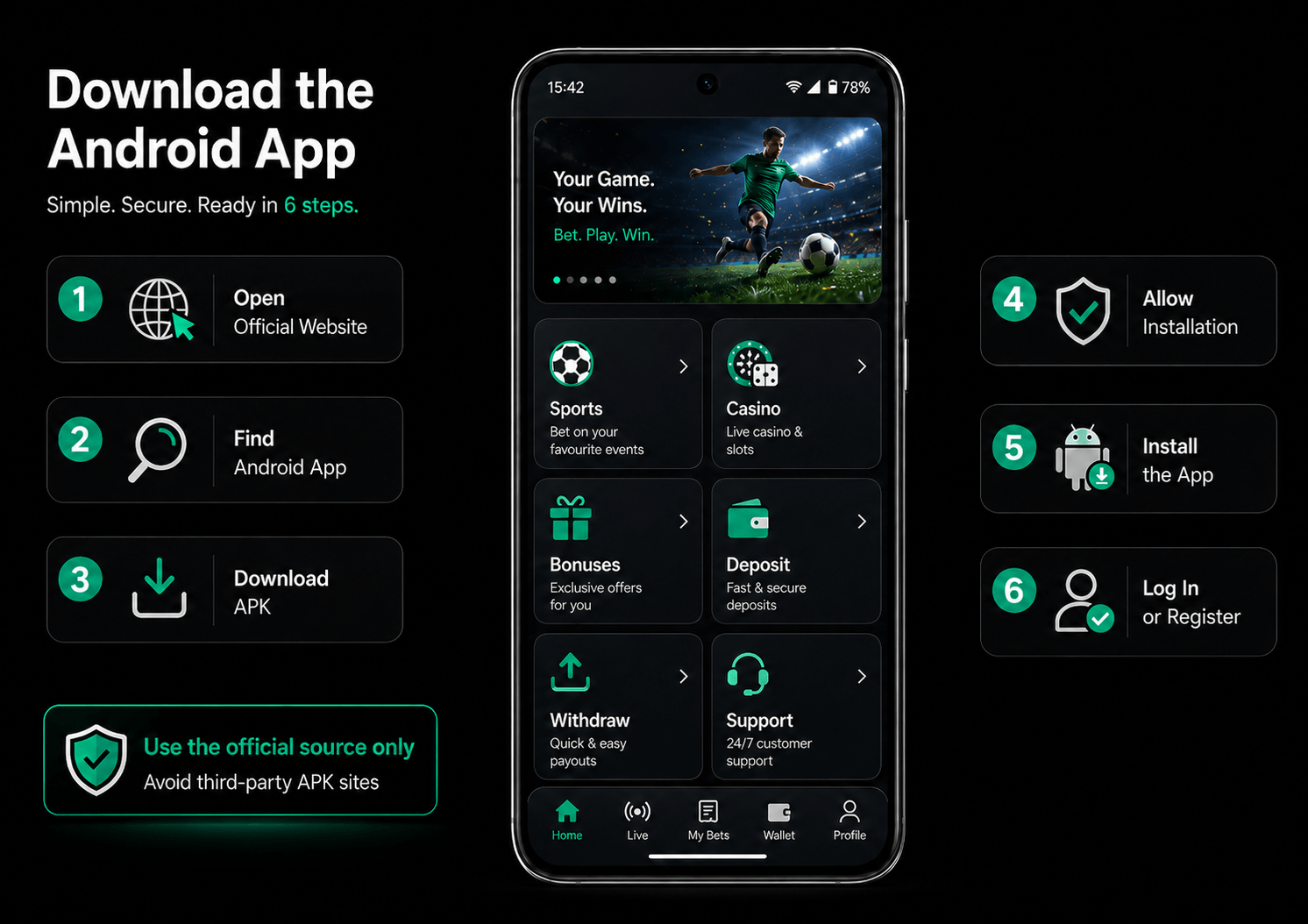
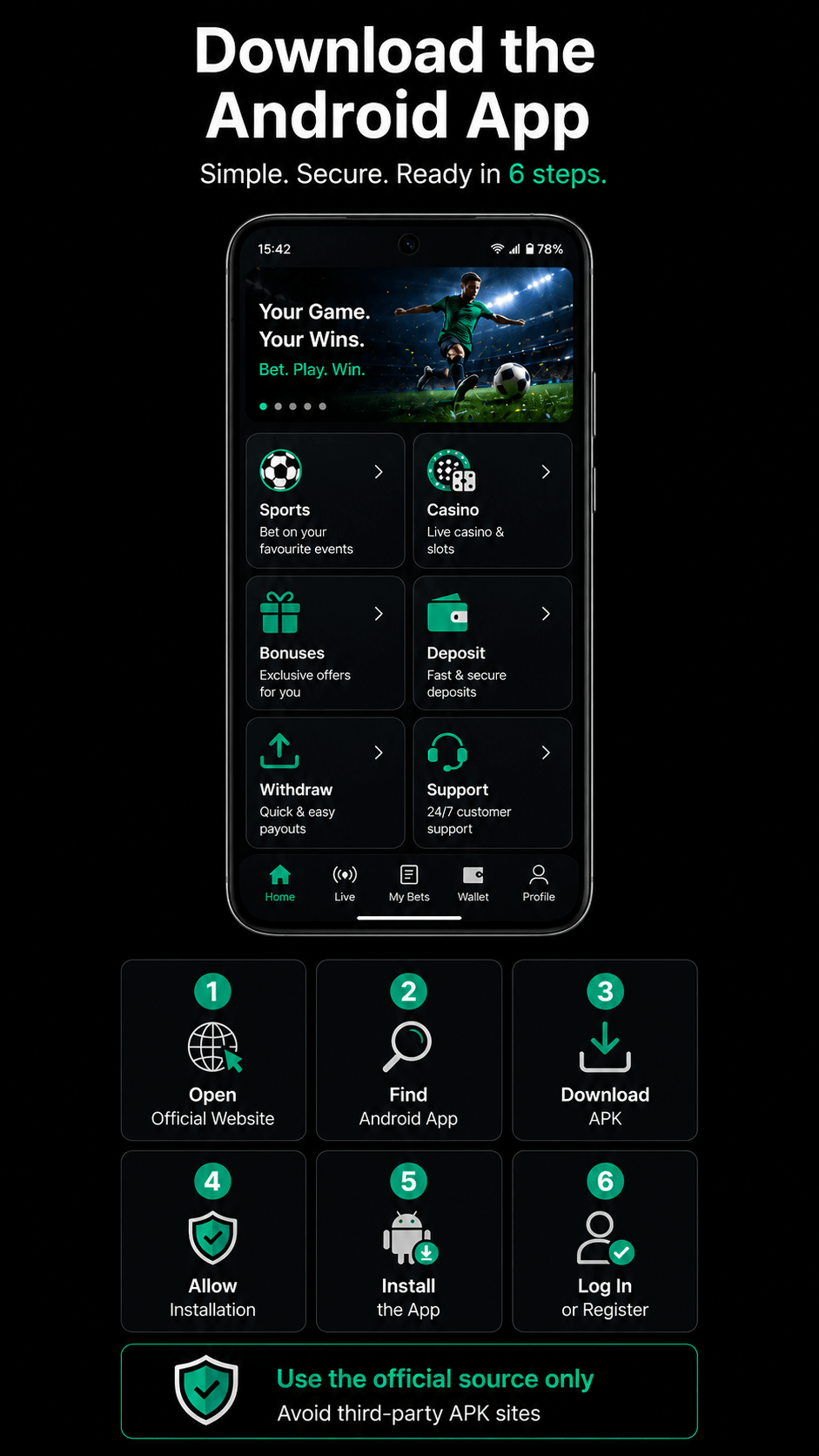
The Planbet Android app should always be downloaded from the official Planbet source. Avoid third-party APK websites, as unofficial files may be unsafe or outdated.
Basic download steps
- Open the official Planbet website on your Android device.
- Find the Android app download option.
- Download the Planbet app file.
- Allow installation if your device asks for permission.
- Install the app.
- Open the app and log in or create a new account.
After installation, keep the app updated whenever a new version is available.
Is the Planbet Android App Safe?
The safest way to install the Planbet Android app is to download it only from the official Planbet website or official download source.
Before installing, check that:
- you are using the correct Planbet website;
- the download comes from an official source;
- you are not using APK files from unknown third-party websites;
- your login details are entered only inside the official Planbet platform.
For account security, users may be asked to verify personal details, activate a phone number or complete identity checks. These steps help protect the account and may be required before using some features, bonuses or withdrawals.
How to Register on the Planbet Android App
You can create a Planbet account directly in the Android app.
Registration usually involves:
- Opening the Planbet app.
- Selecting the registration option.
- Entering the required personal details.
- Confirming contact details such as phone or email, where required.
- Setting your login details.
- Completing your account profile.
To use bonuses, make deposits or request withdrawals, make sure your profile details are complete and correct.

Get the Full Experience on Mobile
Register, claim bonuses, bet on sports, play casino games, deposit, withdraw and contact support.
What You Can Do in the Planbet Android App
The Planbet Android app includes the main features available on desktop.
Sports betting
You can browse sports events, check odds and place bets directly from the app. The sportsbook includes pre-match and live betting options, depending on the events available at the time.
Users can place different types of bets, including single bets and accumulator bets.
Live betting
The app also supports live betting. This allows users to follow events while they are happening and place bets on updated odds and markets.
Live betting is useful for users who prefer to react to match situations in real time.
Casino games
The Planbet Android app also gives access to casino games. Users can browse available games, launch titles from mobile and use the casino section without needing a desktop device.
Live casino
Live casino games can also be accessed through the app. These games are streamed in real time and may include popular formats such as roulette, blackjack, baccarat and game-show-style titles, depending on availability.
Bonuses and promotions
Users can access available Planbet bonuses from the app. These may include welcome bonuses, sports bonuses, casino bonuses, free spins or other promotions.
Before claiming any bonus, always check:
- minimum deposit;
- wagering requirements;
- bonus validity period;
- eligible games or bets;
- maximum bonus amount;
- maximum bet limits;
- withdrawal restrictions;
- whether your payment method qualifies.
Crypto deposits may not qualify for bonuses, so check the promotion terms before depositing.
Deposits and withdrawals
The app allows users to deposit and withdraw funds. Available payment methods may vary depending on the user’s country, currency and account status.
Planbet supports payment options such as:
- crypto payments;
- card payments.
Before making a transaction, check the minimum and maximum limits, processing times and any bonus-related restrictions.
Customer support
Customer support is available through the Planbet app. Users can contact support for help with account access, registration, payments, withdrawals, bonuses, verification or technical problems.
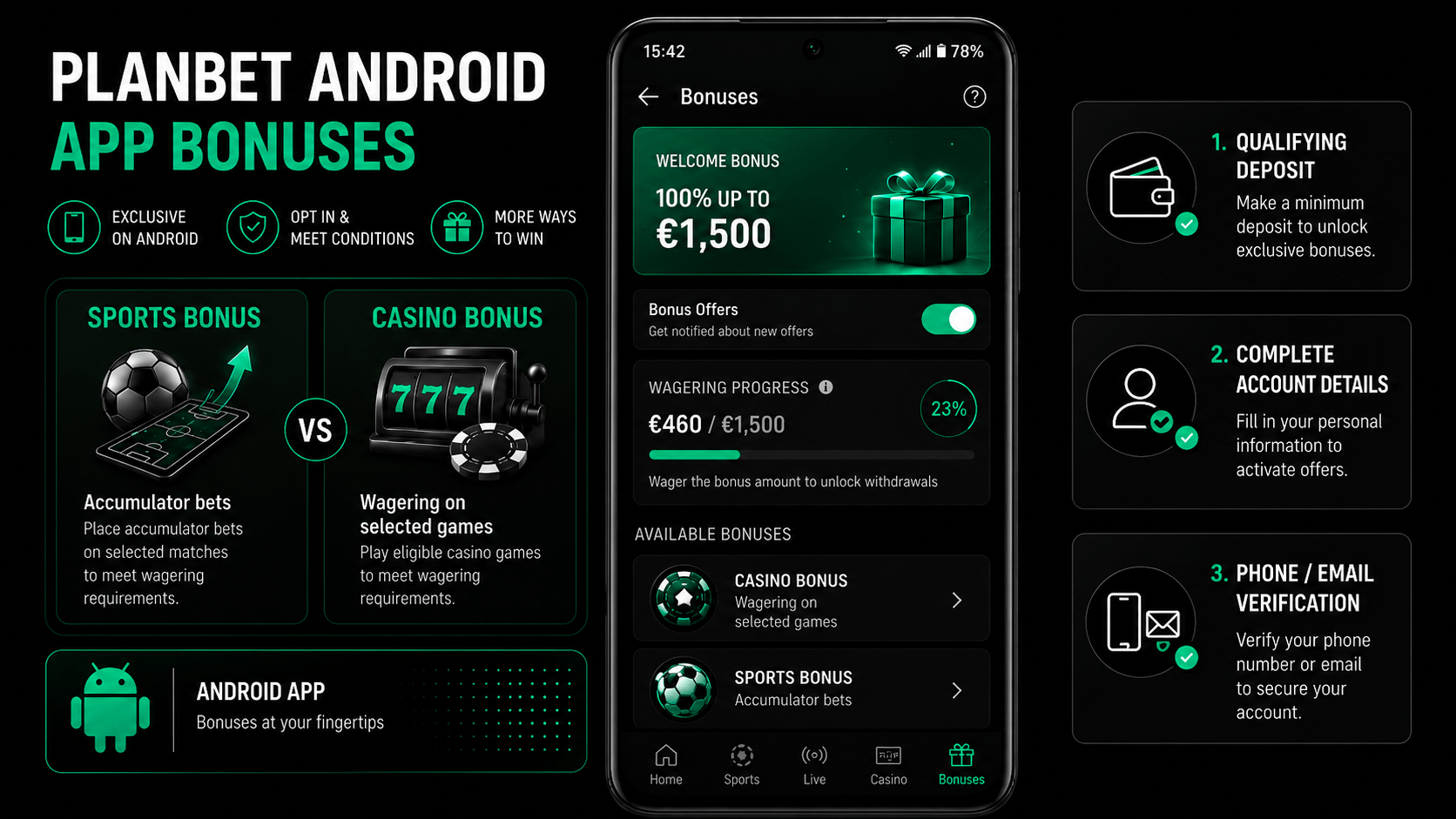
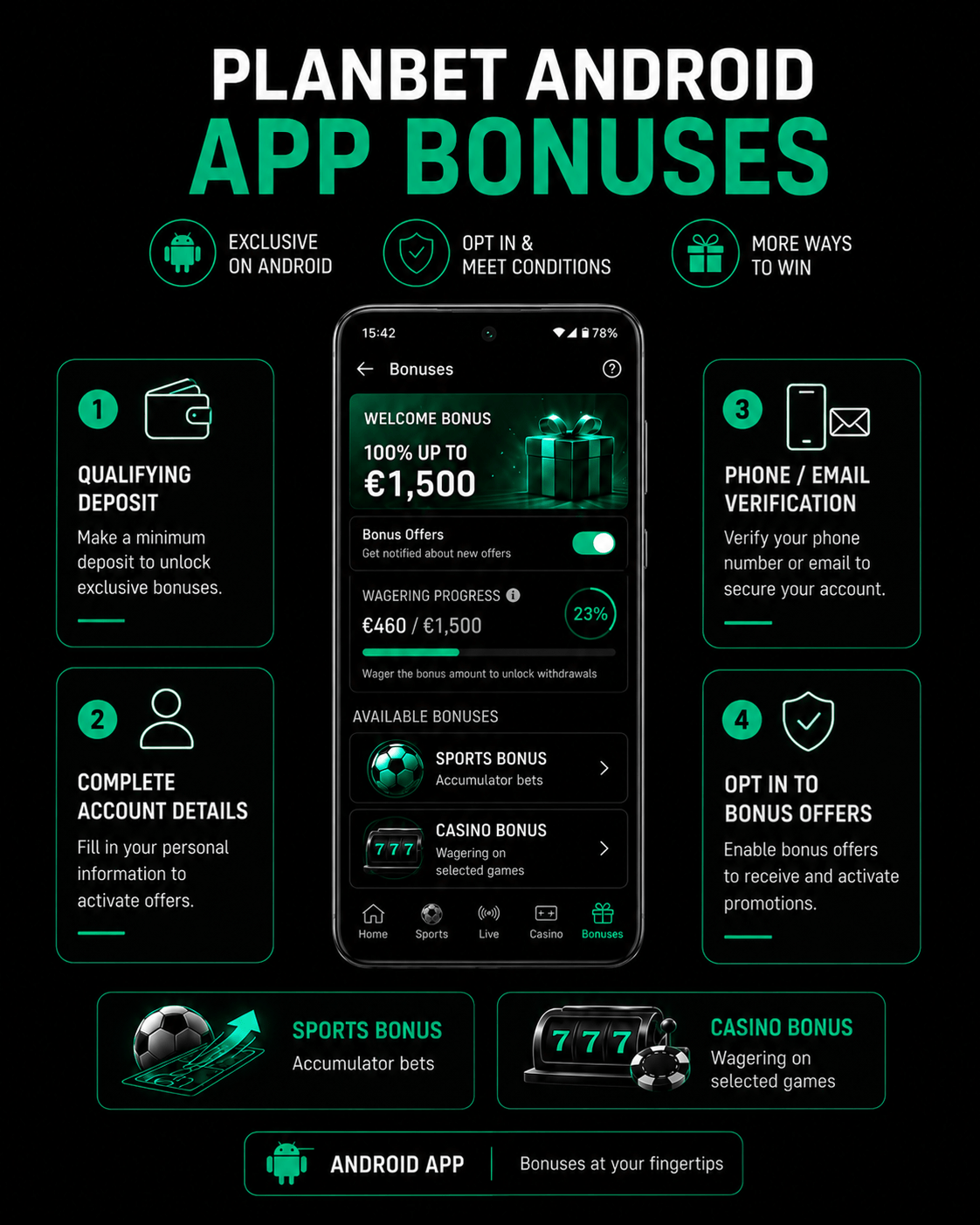
Planbet Android App Bonuses
Bonuses can be used through the Planbet Android app, but users should always read the conditions before opting in.
Common bonus conditions may include:
- making a qualifying deposit;
- completing account details;
- activating phone or email verification;
- opting in to bonus offers;
- meeting wagering requirements;
- using eligible games or bet types;
- completing requirements within the bonus validity period.
Sports bonuses and casino bonuses usually have different conditions. For example, sports bonuses may require accumulator bets, while casino bonuses may have wagering requirements on selected games.
Payments in the Planbet Android App
The Planbet Android app allows users to manage payments from their mobile device.
Deposits
Users can deposit funds through available payment methods in the app. Options may include crypto and card payments, depending on availability.
Withdrawals
Withdrawals can also be requested from the app. The available withdrawal method may depend on the deposit method, account verification status and local payment options.
Important payment notes
Before depositing or withdrawing, check:
- whether your account needs verification;
- whether your chosen method supports withdrawals;
- whether the payment method qualifies for bonuses;
- whether there are minimum or maximum transaction limits;
- whether any active bonus is restricting withdrawals.
Planbet Android App vs Desktop
The Android app is designed to provide the same core experience as desktop, but in a mobile format.
| Feature | Android app | Desktop |
|---|---|---|
| Register an account | Yes | Yes |
| Sports betting | Yes | Yes |
| Live betting | Yes | Yes |
| Casino | Yes | Yes |
| Bonuses | Yes | Yes |
| Deposits | Yes | Yes |
| Withdrawals | Yes | Yes |
| Customer support | Yes | Yes |
The desktop version may be better for users who prefer a larger screen. The Android app is better for users who want quick access from their phone.
Common Planbet Android App Issues
The app does not install
Check that the app was downloaded from the official Planbet source. If Android blocks the installation, you may need to allow app installation from that source in your device settings.
The app does not open
Try closing and reopening the app. If the issue continues, check your internet connection or reinstall the latest official version.
I cannot log in
Make sure your username, email or phone number is correct. If needed, use the password recovery option.
I did not receive my bonus
Check whether you opted in to bonus offers before depositing. Also check the minimum deposit, eligible payment method, account verification requirements and promotion validity period.
I cannot withdraw
Withdrawals may be unavailable if your account is not verified, if a bonus is still active, or if wagering requirements have not been completed.
A payment method is missing
Payment methods can vary by country, currency, device and account status. Check the payment section in the app for the methods available to your account.
Tips Before Using the Planbet Android App
Before registering, depositing or claiming a bonus, it is worth checking a few details:
- download the app only from the official Planbet source;
- complete your account profile correctly;
- verify your phone or email if required;
- read bonus terms before depositing;
- check whether crypto deposits qualify for bonuses;
- confirm available withdrawal methods;
- keep your login details private;
- use customer support if something does not work as expected.
Responsible Use on the Planbet Android App
The Planbet app is intended for adult users only. Betting and casino games involve risk, and winnings are never guaranteed.
Use the app responsibly by:
- setting personal limits;
- avoiding chasing losses;
- reading all bonus and betting terms;
- keeping gambling as entertainment;
- contacting support if you need help with account limits or safer gambling tools.
FAQ
Can I claim bonuses in the Planbet Android app?
Yes. Bonuses can be used in the Android app, but users must opt in where required and meet the promotion terms.
Does Planbet offer cashback?
Yes. Planbet includes weekly sports cashback of 3% up to C$1,000, along with additional promotions linked to football and selected VIP rewards.
Can I deposit and withdraw in the Planbet Android app?
Yes. The Android app supports deposits and withdrawals. Available methods may include crypto and cards, depending on the user’s account and region.
Does the Planbet Android app include sports betting and casino?
Yes. The app includes sports betting, live betting, casino games and live casino.