Planbet Web App for iOS
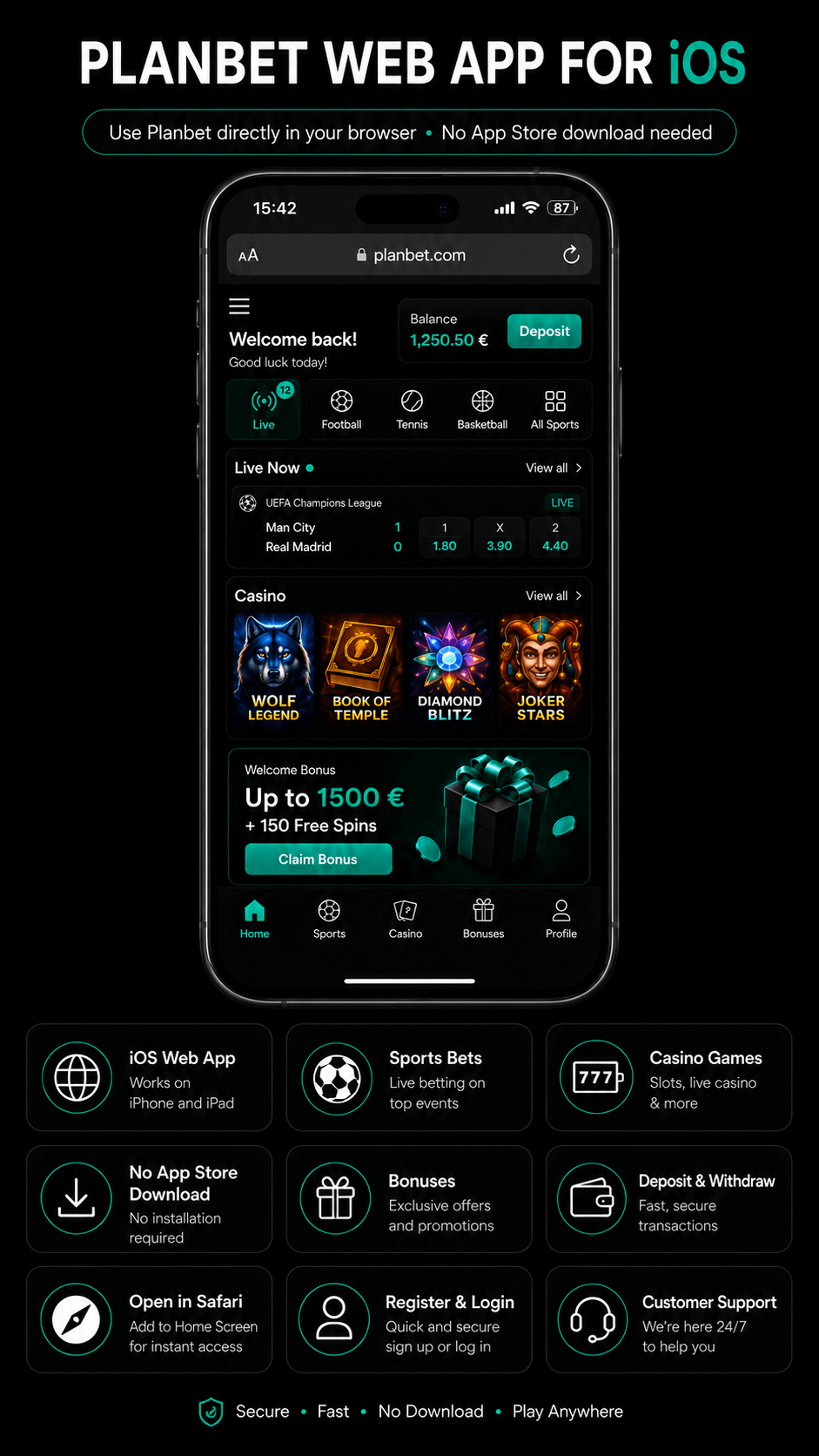
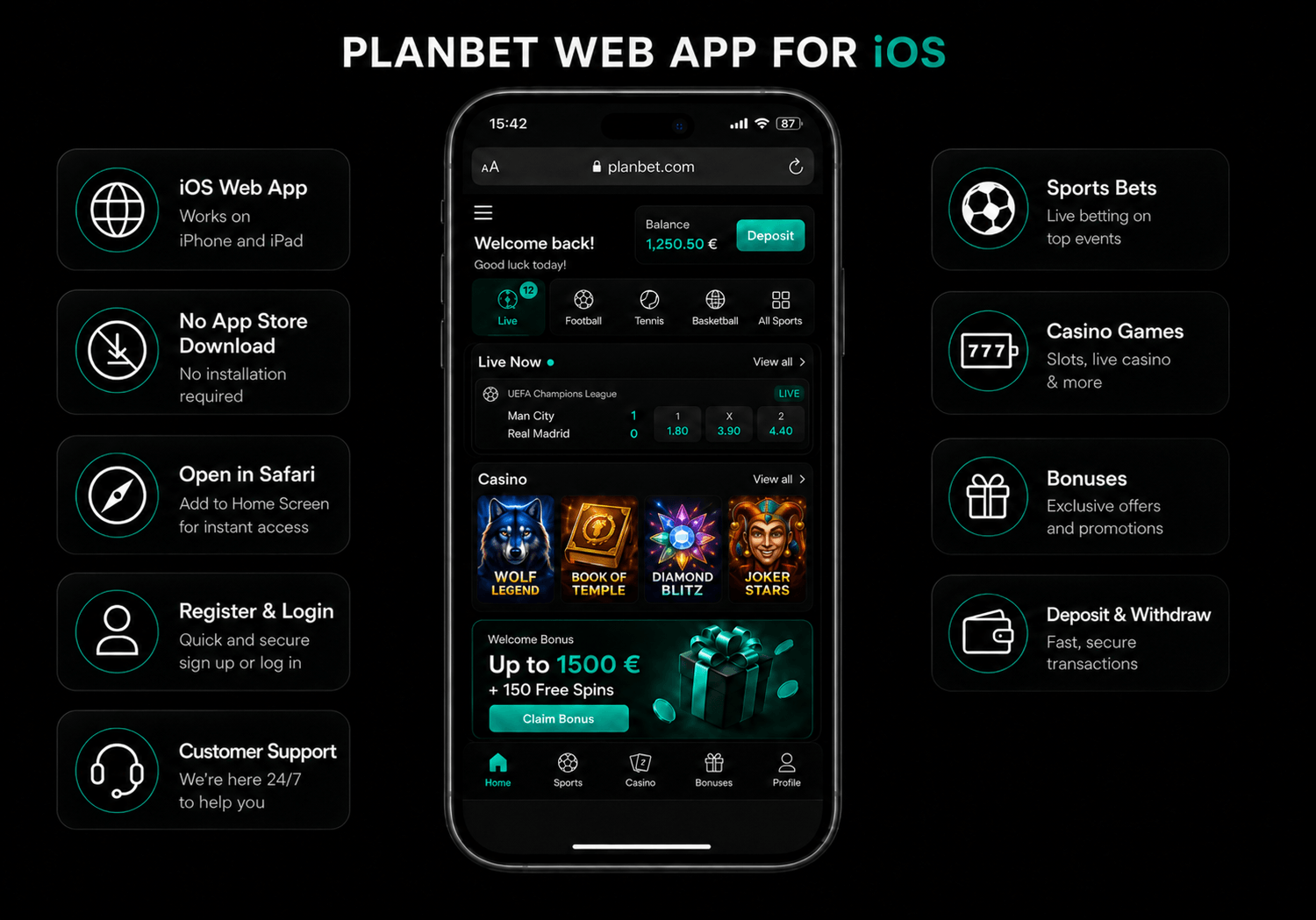
The Planbet web app for iOS lets iPhone and iPad users access Planbet directly from their mobile browser. There is no need to install a native iOS app from the App Store. Instead, users can open Planbet on Safari or another supported browser and use the platform as a mobile web app.
From the iOS web app, users can register, log in, claim bonuses, place sports bets, play casino games, make deposits, request withdrawals and contact customer support.
Content
Planbet on iPhone and iPad: How It Works
Planbet is available on iOS through a mobile web app. This means the platform is designed to work smoothly in a mobile browser, with an interface adapted for smaller screens.
| Feature | Available on iOS Web App |
|---|---|
| Account registration | Yes |
| Login | Yes |
| Sports betting | Yes |
| Live betting | Yes |
| Casino games | Yes |
| Live casino | Yes |
| Bonuses and promotions | Yes |
| Deposits | Yes |
| Withdrawals | Yes |
| Customer support | Yes |
Is There a Planbet iOS App?
Planbet does not need a native iOS app to work on iPhone or iPad. iOS users can access the platform through the Planbet web app using a mobile browser.
This is useful because:
- no App Store download is required;
- users can access Planbet from Safari or another browser;
- the web app works directly from the official Planbet website;
- users can register, play, deposit and withdraw from the same mobile interface.
For safety, users should always access Planbet through the official website and avoid third-party download links or unofficial app files.
How to Use the Planbet Web App on iOS
Using Planbet on iPhone or iPad is simple.
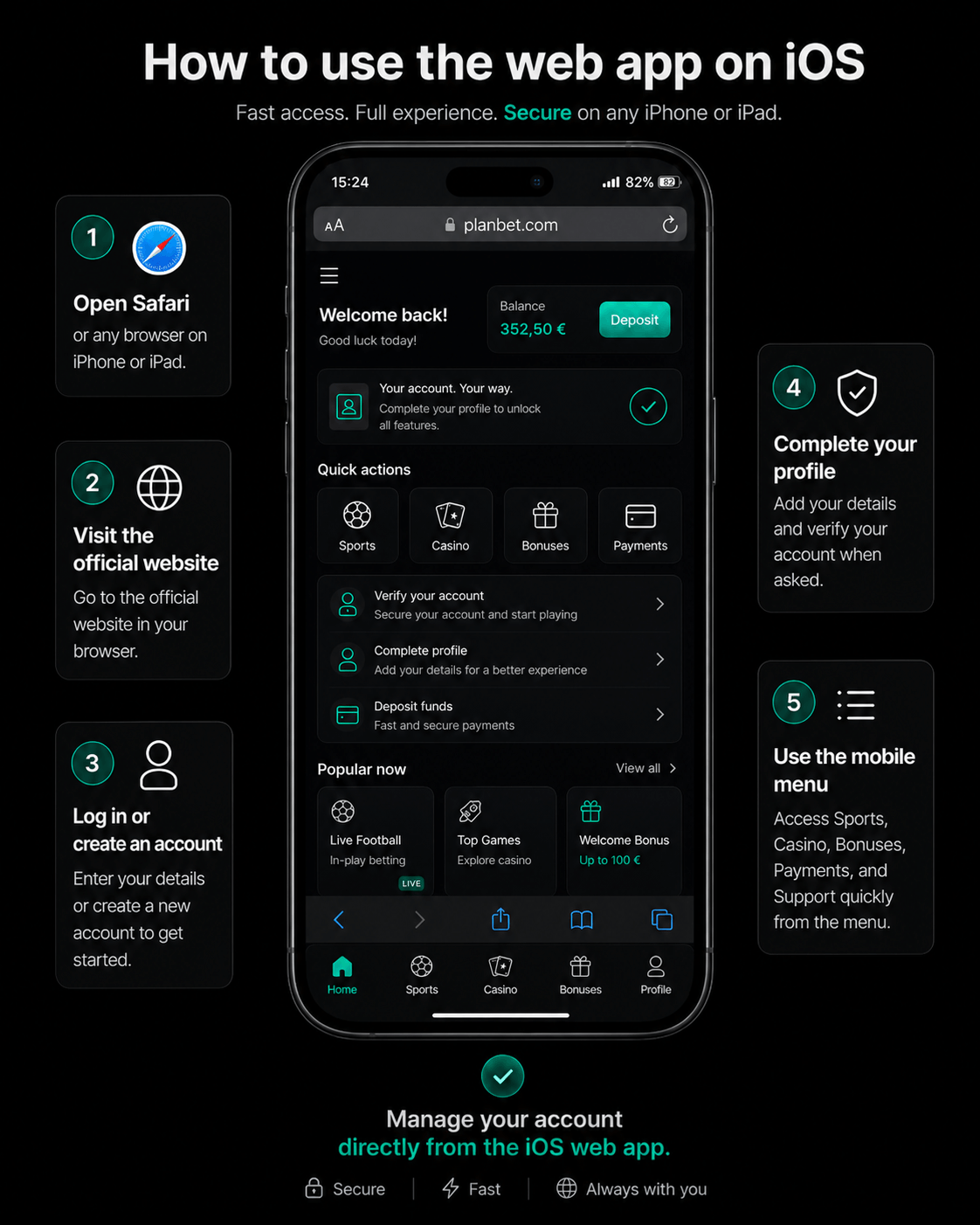
- Open Safari or another browser on your iOS device.
- Go to the official Planbet website.
- Log in or create a new account.
- Complete your profile details if required.
- Verify your phone number or account details when requested.
- Choose sports betting, casino, bonuses, payments or support from the mobile menu.
Once logged in, users can manage their account directly from the iOS web app.

Add Planbet to Your iPhone Home Screen
iOS users may be able to add Planbet to the home screen for faster access. This creates a shortcut that works like an app icon.
General steps:
- Open Planbet in Safari.
- Tap the share icon.
- Select Add to Home Screen.
- Confirm the shortcut name.
- Open Planbet from the new icon on your home screen.
This does not install a native app, but it makes the web app easier to access.
Register on Planbet from iOS
New users can create an account directly from the Planbet web app.
The registration process usually includes:
- opening the registration form;
- entering personal details;
- creating login credentials;
- confirming contact information;
- completing the account profile;
- activating the phone number when required.
Completing the account profile is important because some bonuses may only be available after the required personal details and phone verification are completed.
What You Can Do in the Planbet iOS Web App
The Planbet iOS web app is designed to give users access to the main platform features from a mobile device.
Sports Betting
Users can browse sports markets, check odds and place bets from their iPhone or iPad.
Sports betting features may include:
- pre-match betting;
- live betting;
- accumulator bets;
- bet slip management;
- popular sports and events;
- multiple betting markets;
- active bet tracking.
The mobile interface makes it easier to follow events and place bets while using a smaller screen.
Live Betting
The Planbet web app also supports live betting. Users can follow events in progress and place bets while odds are updating.
Live betting may include markets such as:
- match result;
- totals;
- handicaps;
- first team to score;
- corners;
- cards;
- other event-specific markets.
Available markets may vary depending on the sport, event and timing.
Casino Games
Users can also access casino games from the iOS web app.
The casino section may include:
- slots;
- table games;
- live casino;
- game shows;
- featured games;
- search and filter options.
Game availability may vary depending on the user’s country, currency and account settings.
Live Casino
The live casino section allows users to play games hosted by real dealers in real time. These games are adapted for mobile screens and can be accessed directly through the iOS browser.
Popular live casino categories may include:
- roulette;
- blackjack;
- baccarat;
- live game shows.
Bonuses on the Planbet iOS Web App
Users can access Planbet bonuses and promotions through the iOS web app, when eligible. These offers can include casino bonuses, sports deposit bonuses, free spins and recurring promotions.
The main welcome package can reach up to €1,500 + 150 free spins, split across the first four casino deposits:
| Deposit | Bonus | Free Spins | Maximum Bonus |
|---|---|---|---|
| 1st deposit | 100% | 30 FS | €300 |
| 2nd deposit | 50% | 35 FS | €350 |
| 3rd deposit | 25% | 40 FS | €400 |
| 4th deposit | 25% | 45 FS | €450 |
Planbet also offers sports deposit bonuses, including:
| Sports Bonus | Offer | Maximum Bonus |
|---|---|---|
| 1st sports deposit | 100% | €100 |
| 2nd sports deposit | 50% | €100 |
| 3rd sports deposit | 30% | €50 |
| Saturday sports bonus | 100% | €100 |
Deposits and Withdrawals on iOS
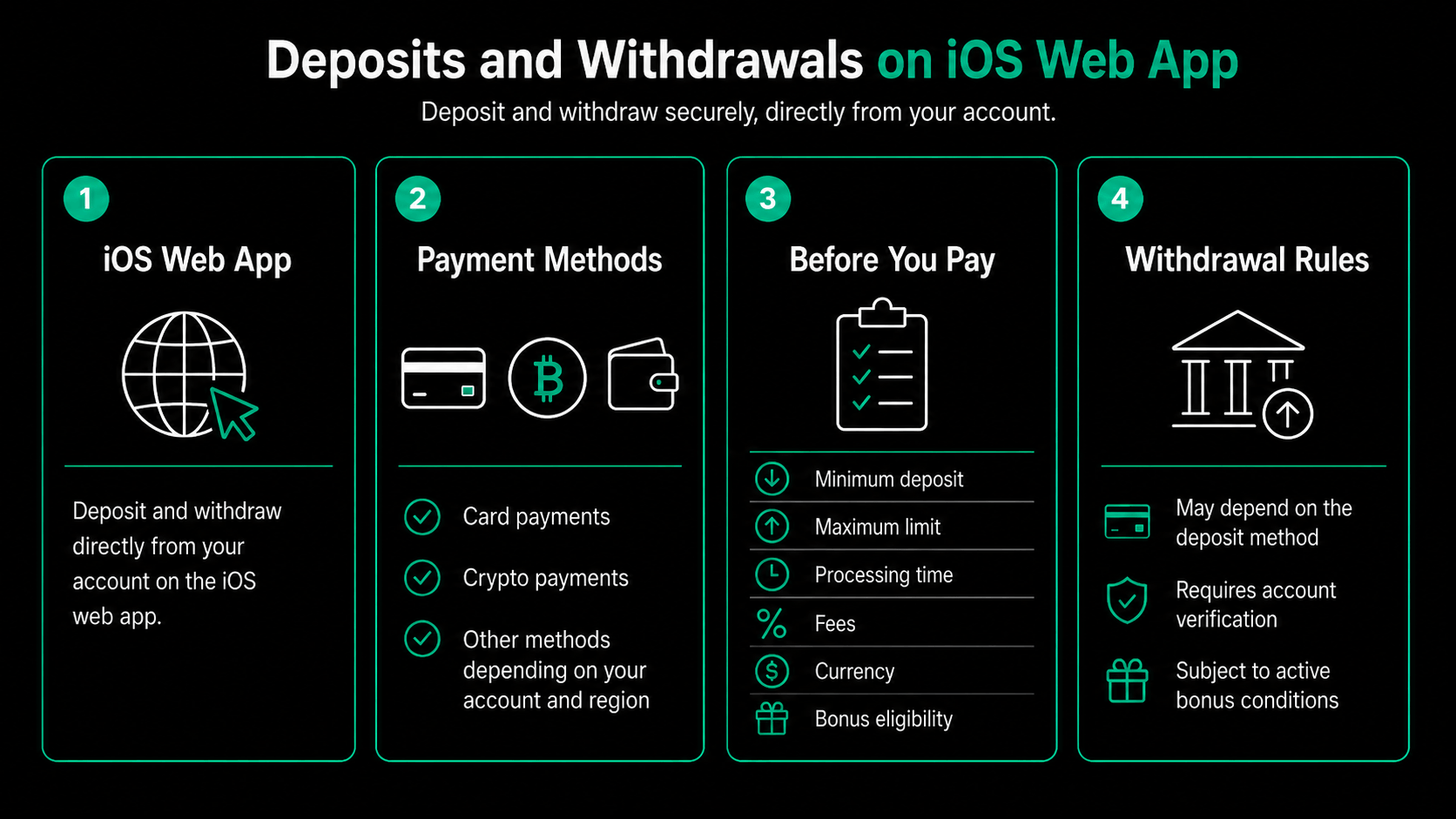
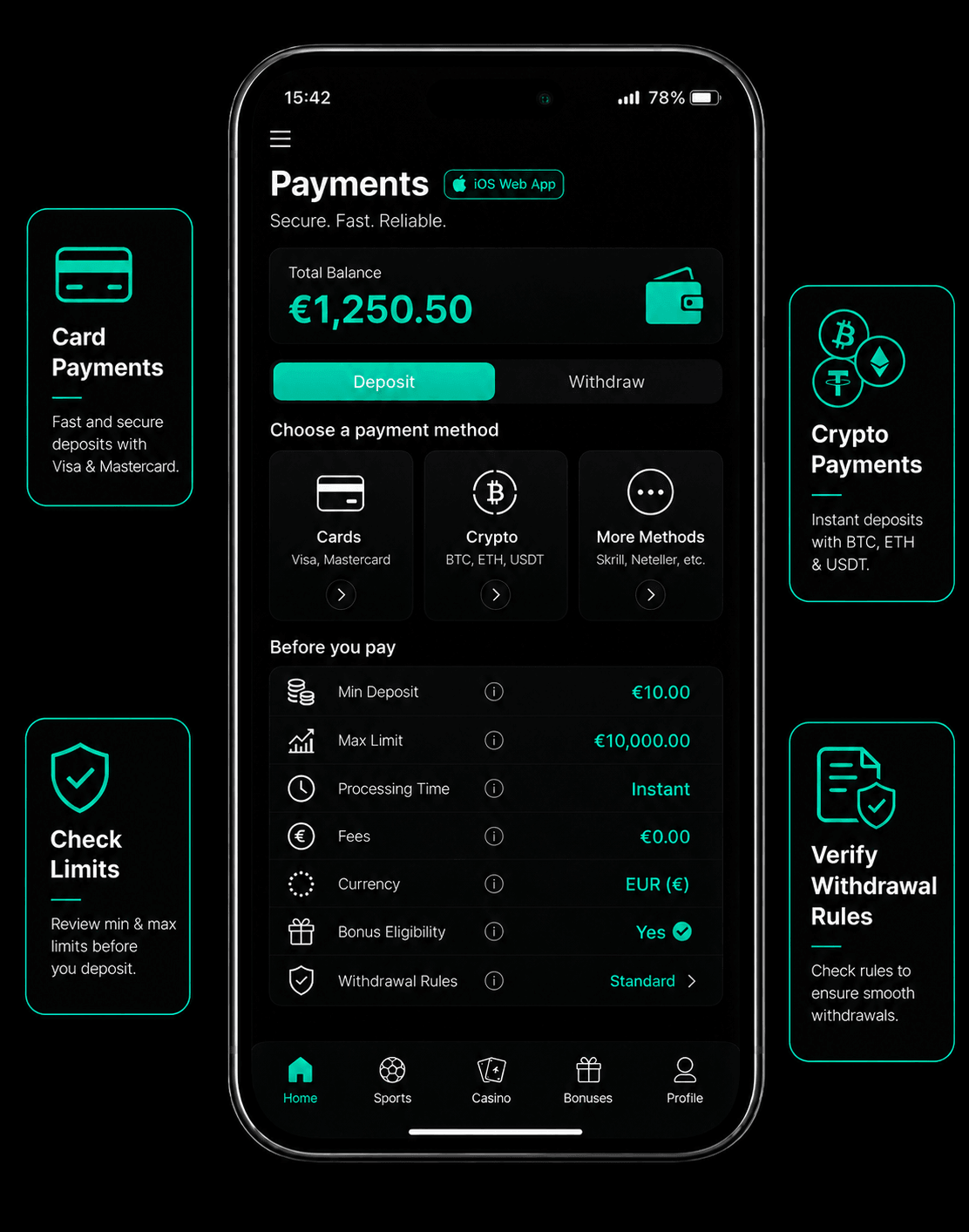
The Planbet iOS web app allows users to deposit and request withdrawals from their account.
Payment options may include:
- card payments;
- cryptocurrency payments;
- other available payment methods depending on the user’s account and region.
Users should check the payment section inside their account to see which methods are currently available.
Before making a payment, it is important to review:
- minimum deposit amount;
- maximum transaction limit;
- processing time;
- fees, if any;
- currency options;
- bonus eligibility;
- withdrawal rules.
Some withdrawal options may depend on the payment method used for deposit, account verification status and active bonus conditions.
Customer Support on the iOS Web App
Customer support is available through the Planbet mobile experience. Users can contact support from inside the web app when they need help with:
- registration;
- login problems;
- deposits;
- withdrawals;
- bonus activation;
- account verification;
- sports betting;
- casino games;
- technical issues;
- responsible gambling tools.
When contacting support, it helps to provide clear details about the issue, such as the device used, payment method, bonus name or error message.
Planbet iOS Web App vs Desktop
The iOS web app gives users access to the same core features available on desktop, but in a mobile-friendly format.
| Feature | iOS Web App | Desktop |
|---|---|---|
| Registration | Yes | Yes |
| Sports betting | Yes | Yes |
| Casino | Yes | Yes |
| Bonuses | Yes | Yes |
| Deposits | Yes | Yes |
| Withdrawals | Yes | Yes |
| Customer support | Yes | Yes |
| Mobile access | Optimised | Browser-based |
Safety Tips for Using Planbet on iOS
To use Planbet safely on iPhone or iPad:
- access Planbet only through the official website;
- avoid unofficial apps or third-party download links;
- keep your login details private;
- use a strong password;
- complete verification requests when required;
- check bonus terms before depositing;
- log out when using a shared device;
- contact support if you notice suspicious activity.
Since iOS users access Planbet through the browser, there is no need to install APK files or download software from unknown sources.
Common iOS Web App Issues
Planbet Does Not Load on iPhone
Try refreshing the page, checking your internet connection or opening the site in another browser.
I Cannot Log In
Check that your email, username or password is correct. If needed, use the password recovery option.
I Cannot Claim a Bonus
Make sure your profile is complete, your phone number is activated and you have opted in to bonus offers before depositing.
My Payment Method Is Missing
Payment methods may vary depending on country, currency, account status and device. Check the payment section after logging in.
I Cannot Withdraw
Withdrawals may be limited by active bonus conditions, pending verification, unresolved bets or payment method rules.
The Web App Feels Slow
Close unused browser tabs, clear browser cache or check your connection. You can also try accessing Planbet from another browser.
Who Should Use the Planbet iOS Web App?
The Planbet iOS web app is suitable for users who want to access Planbet from an iPhone or iPad without downloading a native app.
It is useful for users who want to:
- register from mobile;
- bet on sports;
- place live bets;
- play casino games;
- claim bonuses;
- deposit and withdraw;
- manage their account;
- contact customer support.
FAQ
Does Planbet have an iOS app?
Planbet is available on iPhone and iPad through a web app. Users can access it from a mobile browser without installing a native iOS app.
Can I use Planbet on Safari?
Yes. iOS users can open Planbet in Safari or another supported mobile browser.
Can I register through the Planbet iOS web app?
Yes. Users can create an account directly from the iOS web app.
Can I claim bonuses on iPhone?
Yes. Eligible users can access and use bonuses through the iOS web app. Bonus terms, wagering requirements and eligibility rules should always be checked before depositing.
Can I deposit and withdraw on the Planbet iOS web app?
Yes. Users can make deposits and request withdrawals through the iOS web app. Available methods may include cards, crypto and other options depending on the account and region.